

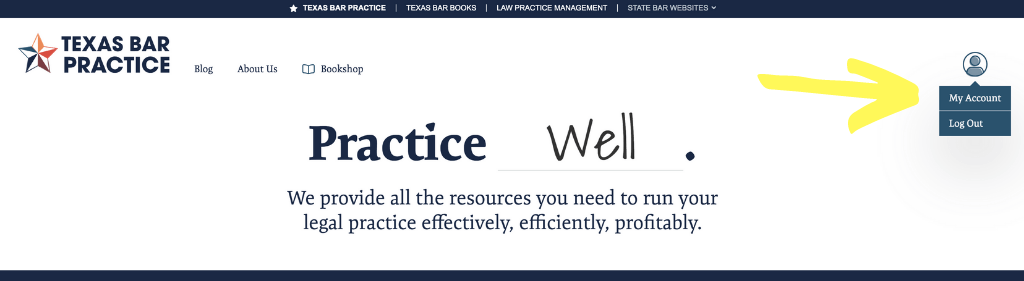
STEP 1: To cancel your subscription to a Texas Bar Books Online manual, log in at TexasBarPractice.com and navigate to your account page.
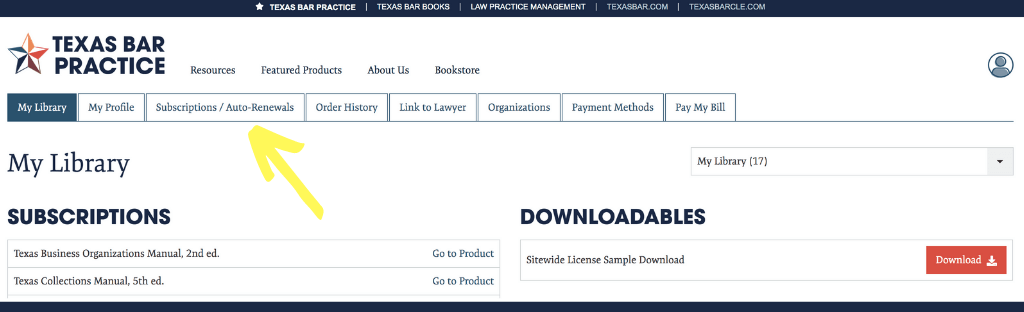
STEP 2: Select the Subscriptions/Auto-Renewals tab.
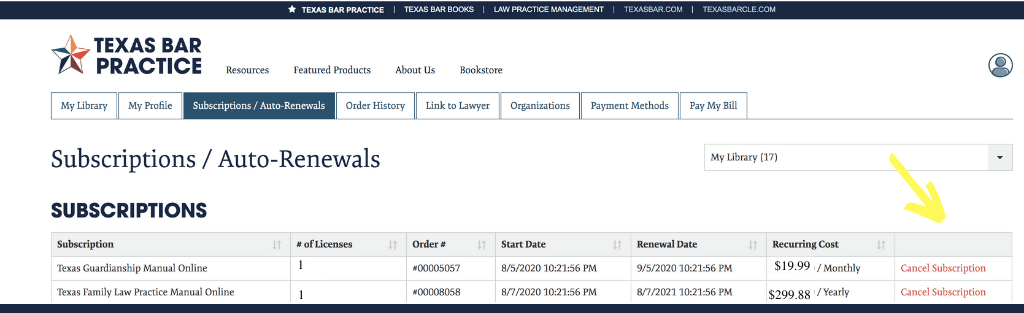
STEP 3: Here you will see a list of your Online manual subscriptions. Click “Cancel Subscription.”
STEP 4: Choose the number of licenses you wish to cancel, and click “Cancel.”
Done! Your subscription is canceled and you will not be charged at the next billing cycle.
Total 0 Votes:
0
0
 Online Subscriptions
 Texas Bar Books